It Works. Here’s the Evidence.
Collaborative Design: While I engineered the interaction logic, the visual interface was the result of a collaborative design phase. My partner and I produced two distinct UI concepts; for the final usability test, we selected my partner's design. This decision allowed me to focus entirely on the computer vision pipeline and ensured the testing measured the gesture mechanics rather than my own visual preferences.
The Lounge Problem
As autonomous vehicles evolve into “moving lounges,” passengers will sit in reclined positions, far from the dashboard. Traditional touchscreens require users to lean forward, breaking their relaxed posture and compromising safety. Physical remotes in public fleets are often lost or unhygienic.
The question wasn't whether gesture control could work — it was whether it could outperform the familiar comfort of physical buttons. To answer this honestly, I needed to build a real system, not fake one.
How I Built It
Instead of building from scratch or faking the interaction with a “Wizard of Oz” approach, I forked and reconstructed an open-source computer vision model to fit the specific ergonomic constraints of a car cabin.
A. Vision Pipeline
I adapted the kinivi/hand-gesture-recognition-mediapiperepository to track 21 skeletal hand landmarks in real-time. I refactored the code to filter out “noisy” data common in moving vehicles and manually re-established the gesture vocabulary by training the system on a custom dataset tailored to cabin interactions.
B. Figma Integration
To enable real-time control, I customized the Figma prototype to listen for specific single-key inputs (e.g., pressing “V” triggers a search overlay). I then programmed the Python script to simulate these exact keystrokes whenever a valid gesture was detected, effectively “driving” the Figma interface remotely.
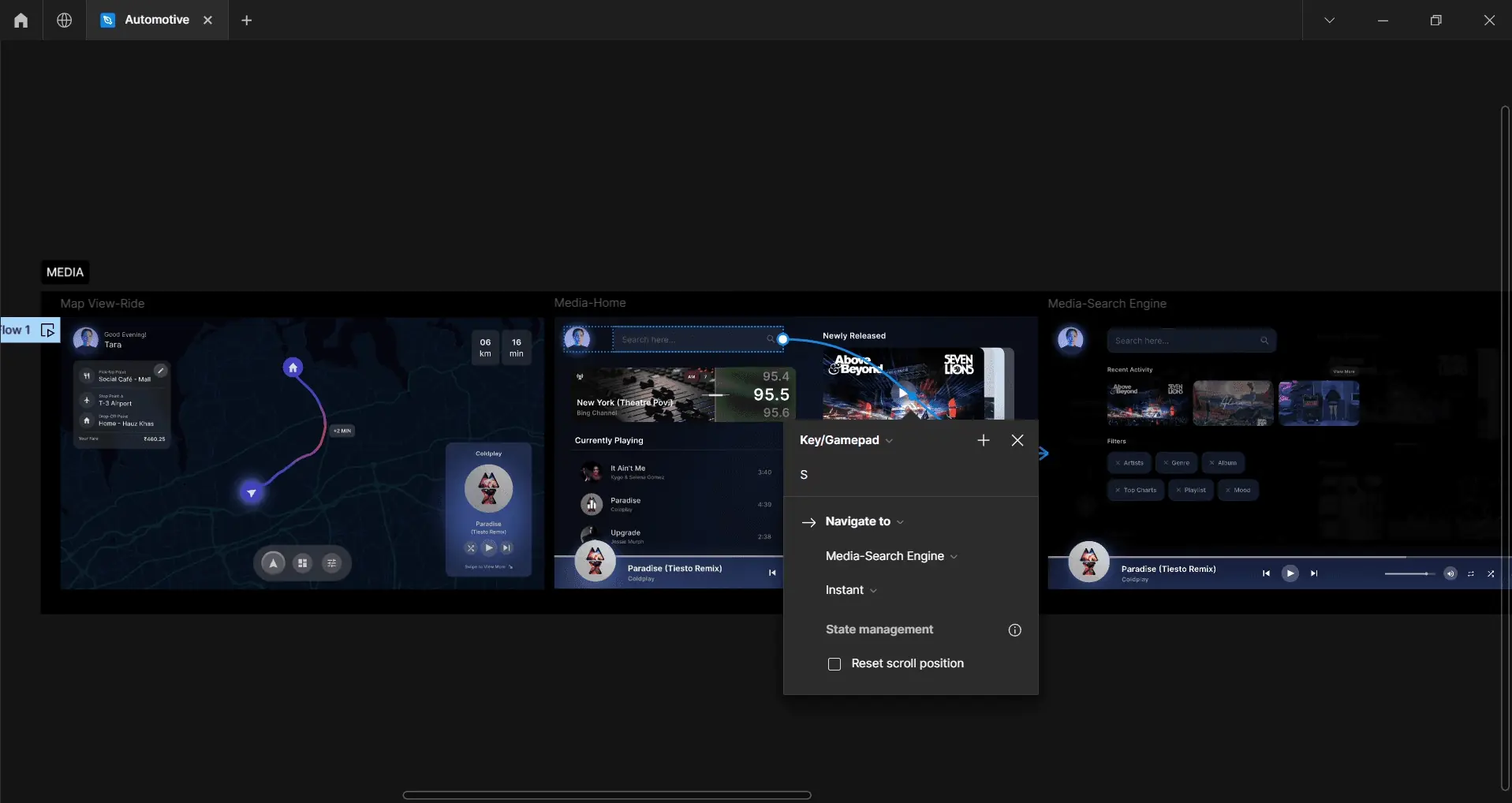
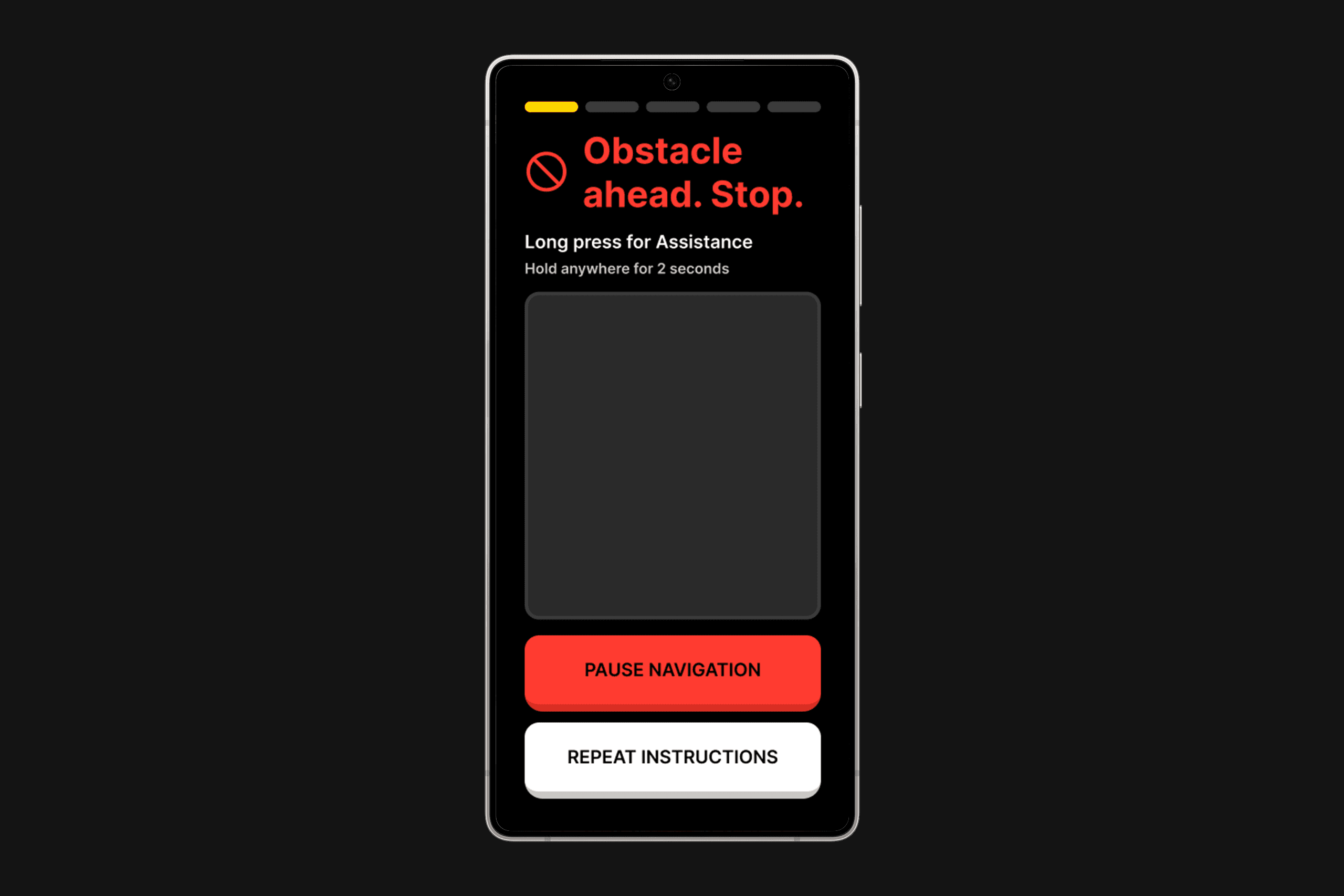
Figma prototype: Map View-Ride, Media-Home, and Media-Search Engine screens with interaction hotkeys
C. Input Bridge (PyAutoGUI)
I integrated the PyAutoGUI library to translate visual landmarks into system-level inputs. This allowed the Python script to take control of the mouse pointer and trigger hotkeys directly, creating a seamless bridge between the CV pipeline and the Figma prototype.
D. Physics & Sensitivity Tuning
I wrote custom logic to calculate the velocity and intensity of gestures. A slow rotation adjusts volume incrementally, while a fast, high-intensity drag drops the volume instantly. This mimicking of physical inertia made the touchless interaction feel tactile and responsive.
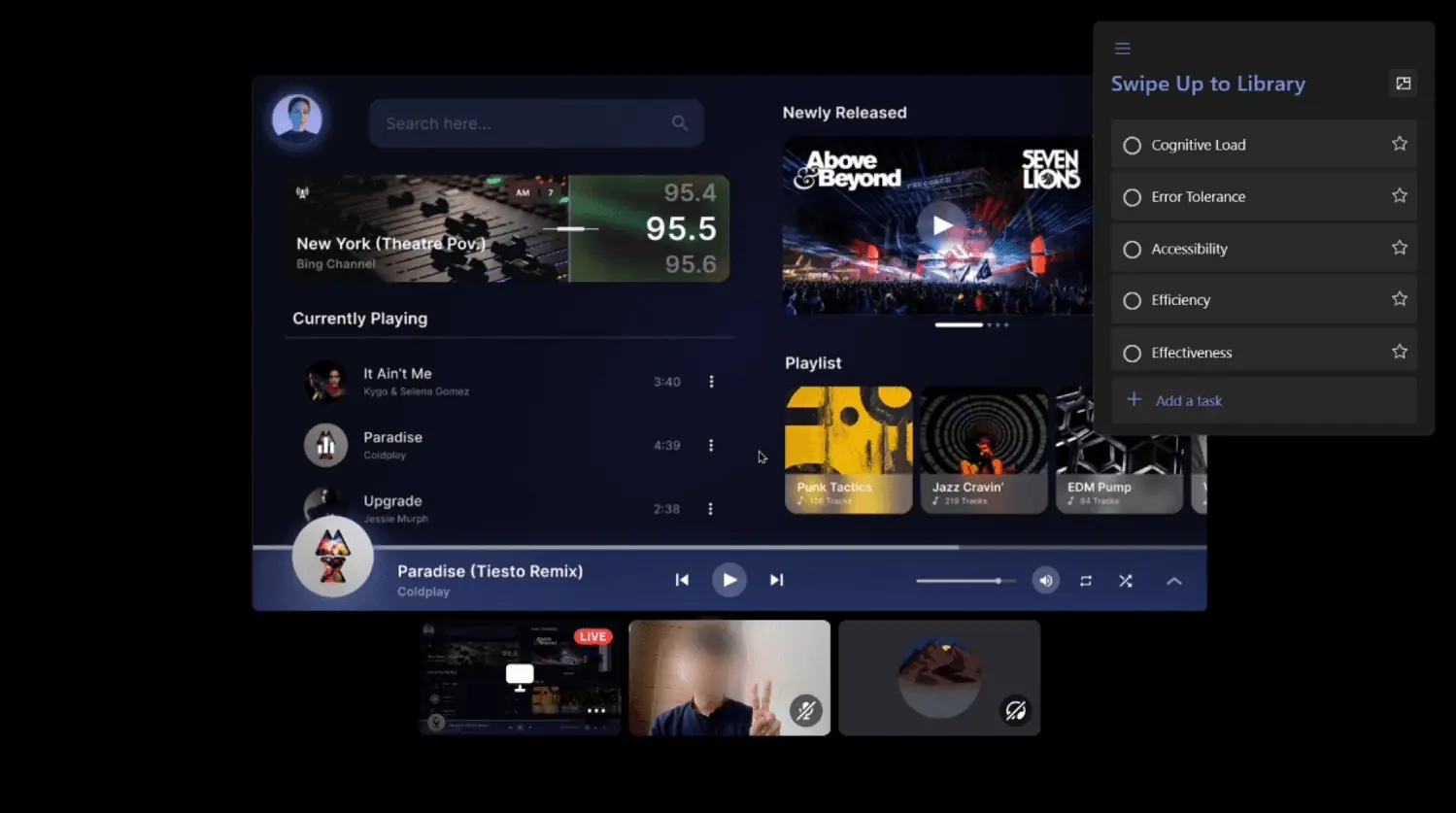
Live testing session: screen displaying the prototype with gesture detection webcam feed and usability metrics sidebar
Defining the Vocabulary
I developed a gesture vocabulary designed to balance intuitive control with system reliability. Three categories emerged: Static gestures (hold a pose), Dynamic gestures (directional movement), and Spatial gestures (3D manipulation).
Comparative Usability Study
I conducted a comparative usability study with 10 participants to benchmark the Air Gesture system against traditional Tactile (Button) controls. To establish a realistic baseline, I simulated a physical armrest control panel using a graphic tablet equipped with mapped hotkeys and a trackpad.
Participants performed identical tasks (navigating a playlist, adjusting volume) using both methods while I measured performance and satisfaction across five usability metrics.
Test Protocol
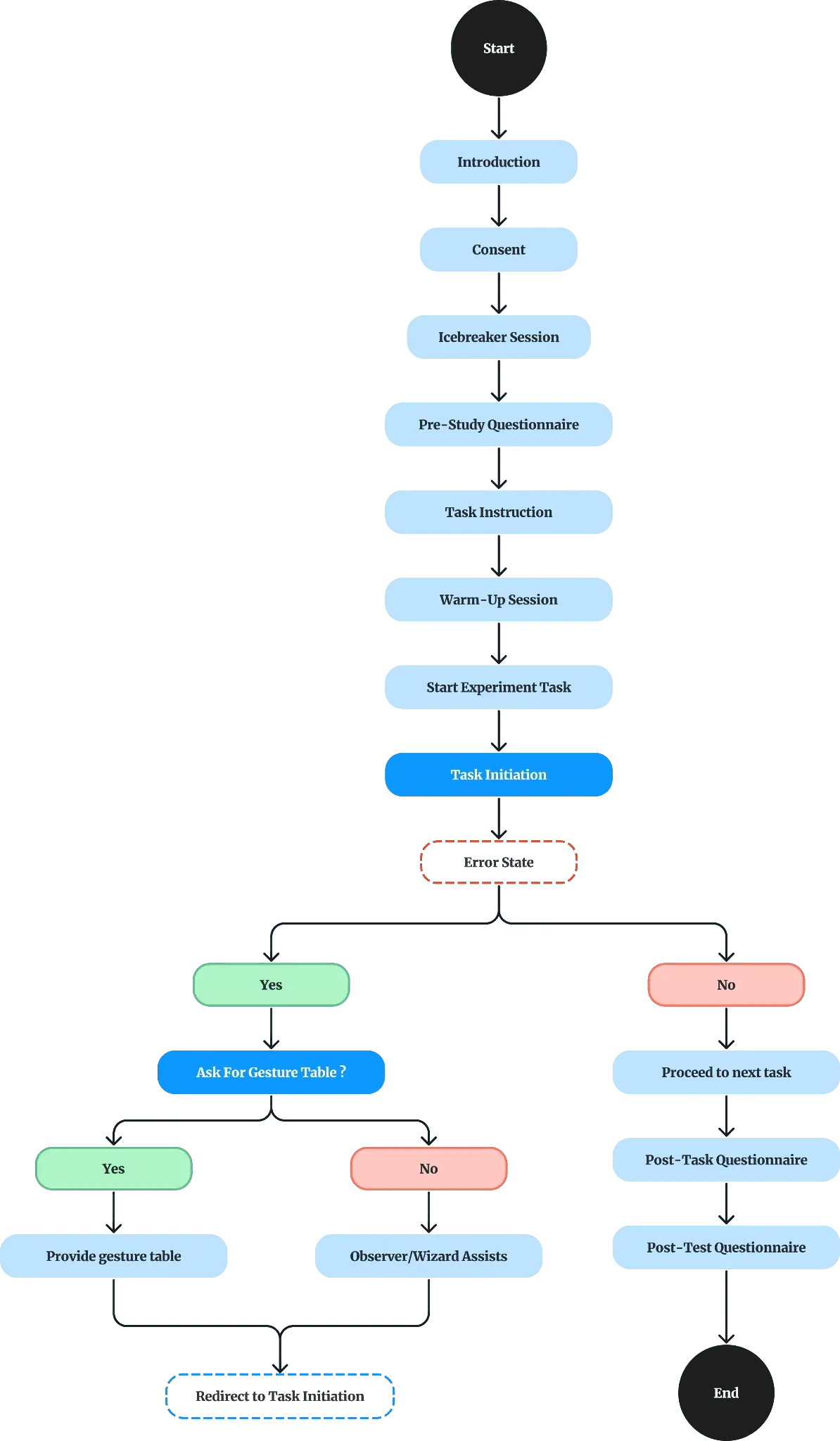
Test protocol: structured flow from introduction through consent, warm-up, experiment tasks, error handling, and post-test questionnaires
Results
Key Findings
Key Learnings
Future Scope
The current prototype addresses the core gesture pipeline. Here's what's next: